
Total Tips Processed
$0
Monetize Your Kick
Stream With Tips
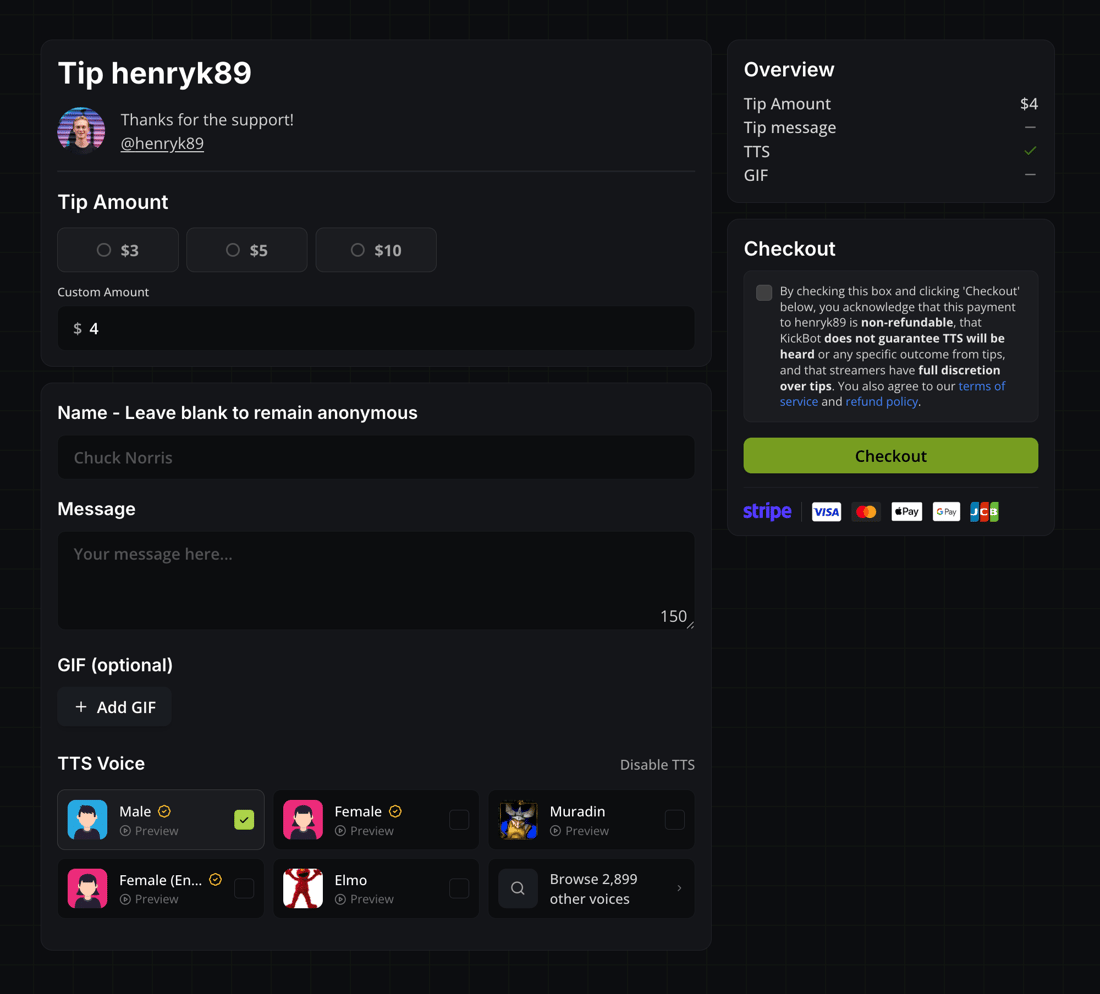
Set up tipping in minutes. Branded tip pages, AI TTS messages, GIF reactions, and moderation tools. No requirements to start.
Branded Tip Pages
kickbot.com/tips/you
TTS Messages
AI-powered text-to-speech
Moderation Queue
Review before they play
Your Info is Private
Your Personal Info Stays Private
250K+
Tips Sent
3K+
AI TTS Voices
Zero
Requirements to Start
Your Tipping Dashboard
$2,841.00
14
Tips Today
$8.40
Avg. Tip
Oct 15
Next Payout
xQcFan42
Great stream!
$25.00
2 min ago
NightOwl_
Love the content
$5.00
8 min ago
StreamSniper99
Keep it up legend
$10.00
14 min ago
Tipping, the Way It Should Be
Private, simple tipping built specifically for streamers. Accept tips with AI voice messages, alerts, GIFs, and no requirements to start.
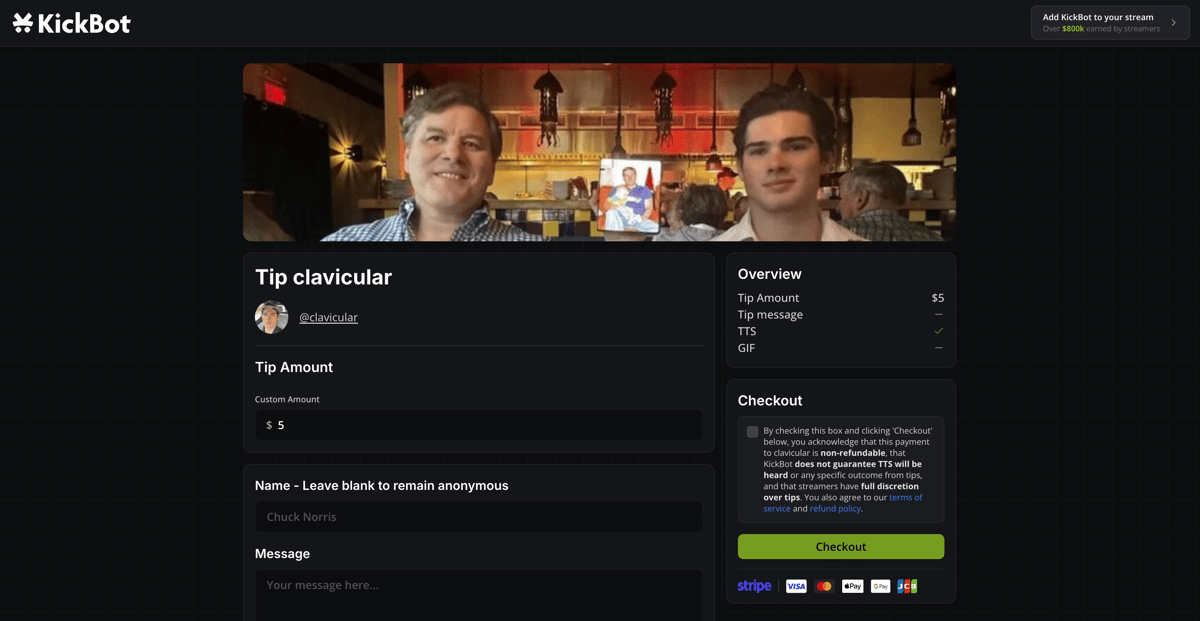
Custom Tip Page
A fully branded tipping page with your own URL, price presets, minimum/maximum tip amounts, and a custom welcome message.
.jpeg)


.jpeg)



.jpeg)


.jpeg)



.jpeg)


.jpeg)

.jpeg)

.jpeg)

.jpeg)
AI Text-to-Speech
Let your viewers send their message in over 3,000 AI voices. Or, clone your own voices to let viewers use them in tips.





Global Payment Support
Accept tips worldwide with cards, wallets, and local payment methods. Automatic currency conversion included.
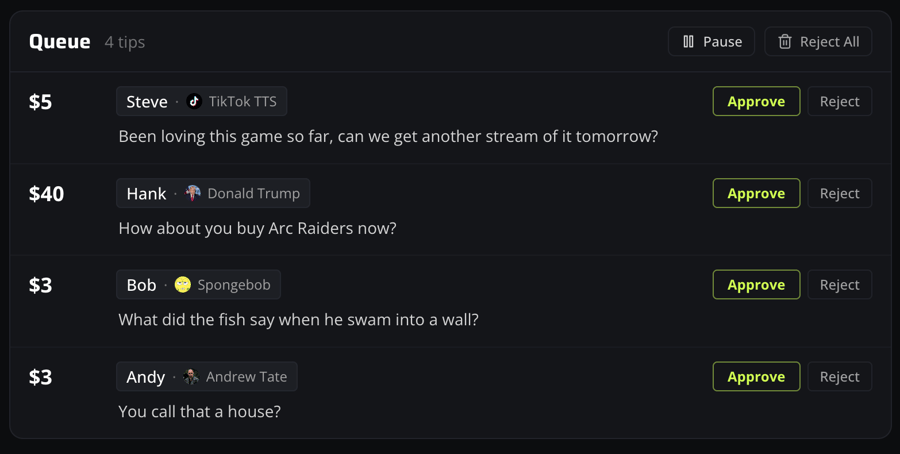
Robust Moderation
Manually review tip messages before they play, or enable filters to automatically block inappropriate content.
$2,841.00
Earnings Dashboard
Track tips in real time with earnings charts, payout schedules, pending balances, and full transaction history.
Private & Protected Tipping
Your personal information stays private while built-in protections help reduce fraud and chargebacks.
Getting Started
How KickBot Tipping Works
Everything you need to start accepting tips on your Kick stream.
- 1
Connect Stripe
Set up a Stripe Connect account through KickBot, the same processor used by Kick.
- 2
Customize Your Tip Page
Customize your tipping page and settings. Set tip amounts, enable TTS voices, add GIFs, and personalize the branding.
- 3
Share Your Tip Link
Share your tip page link with viewers in your stream description, pinned chat message, timed messages, or anywhere else.
- 4
Viewers Send Tips
Viewers send tips with a custom message, choose from thousands of AI TTS voices, and optionally attach a GIF. Tips appear live on your stream.
- 5
Get Paid Monthly
On the 15th of each month, KickBot automatically pays out your tip earnings. No minimum balance and no payout fees.
AI text-to-speech
Make Tips Impossible to Ignore
When viewers know their message will be heard live on stream, they're far more likely to send one. AI text-to-speech turns tips into moments your audience creates together.
- 3,000+ AI voices viewers can choose for their tip messages
- Clone your own voice or create custom voices for your community
- Full control over which voices viewers can use on your stream
- Lifelike, state-of-the-art AI voice technology across 13 languages
On Stream
How Tips Appear On Your Stream
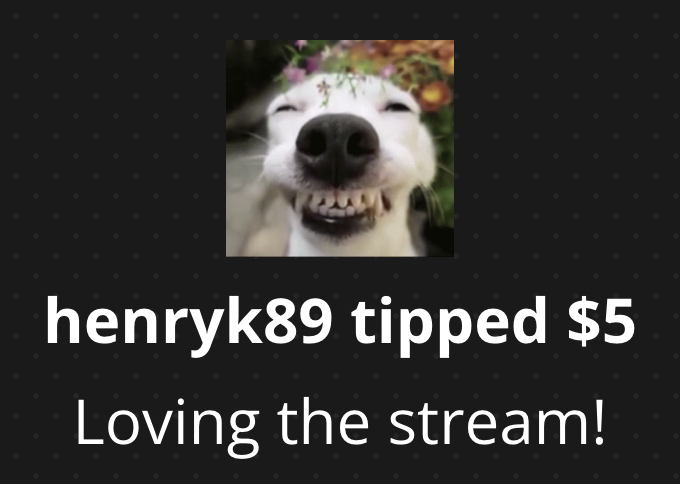
Tips appear live on your stream using a simple browser source. No plugins, no downloads, and no performance impact.
- Works with any streaming software
Just add a browser source in OBS, Streamlabs, Meld, or your mobile streaming app.
- Zero performance impact
All TTS generation and tip processing happens in the cloud. Your browser source simply plays audio and displays text. Nothing heavy runs on your computer.
- Visual + audio, perfectly synced
The tipper's name, amount, message, and GIF appear on screen while the message is read aloud through TTS.
Built for Streamers
Built to Protect Your Tips and Your Identity
KickBot handles privacy, fraud prevention, payouts, and chargebacks so you can focus on streaming.
Privacy & Chargeback Protection
Your identity stays hidden, your earnings stay safe
Complete Privacy for Both Sides
Streamers never see a viewer's personal information, and viewers never see yours. KickBot acts as the middleman for every payment, so your identity stays private. Viewers simply see a statement like KICKBOT TIP - username on their card statement.
Proactive Fraud Prevention
Multiple fraud detection systems run behind the scenes to block suspicious transactions before they even happen.
Full Chargeback Protection
Our strict no-refund policy helps increase the win-rate of disputes filed so we can return the money to you. We automatically fight every chargeback on your behalf, and we cover all fees related to chargebacks.
Payouts & Fees
Transparent Payouts & Fees
Monthly Payouts on the 15th
Payouts are processed automatically every month on the 15th. No minimum balances, no requirements to hit before you can withdraw, and no payout fees.
Transparent, Simple Fees
On each tip, Stripe's base processing fee of 2.9% + $0.30 is charged, along with a 6% KickBot platform fee. No other fees are charged.
Everything Included in Our Fee
Our 6% platform fee covers all additional charges: fraud monitoring and prevention, chargeback-related fees, currency conversion fees, and any other operational costs. Your earnings are always predictable.
Start Accepting Tips with KickBot
No requirements, no minimums, no approval process.
Get Started FreeSetup in minutes