
The Kick ChatBot
That Does It All
Custom commands, moderation, timed messages, AI responses, overlays & widgets, and our !clip command. Everything your Kick chat needs, in one place.
Custom Commands
Custom commands usable by viewers
Auto Moderation
Filters to remove spam and unwanted content
Clip Command
Instantly create a clip up to 4 minutes with !clip
Timed Messages
Automatic periodic reminders
Everything You Need in One Bot
The only chatbot you need for your Kick stream.
Custom Commands
Create custom commands for anything. Usable by you, your mods, and your viewers. Fully configurable from the dashboard.
Timed Messages
Set messages to automatically send at intervals, keeping your chat informed. Set minimum chat activity to prevent flooding a quiet chat.
Auto Moderation
Protect your chat from spam, bot raids, and unwanted content with filters that run automatically in the background.
AI Responses
Your viewers can chat with the bot, ask questions, or just hang out with it. Choose between Grok, Gemini, DeepSeek, or OpenAI and pick a personality.
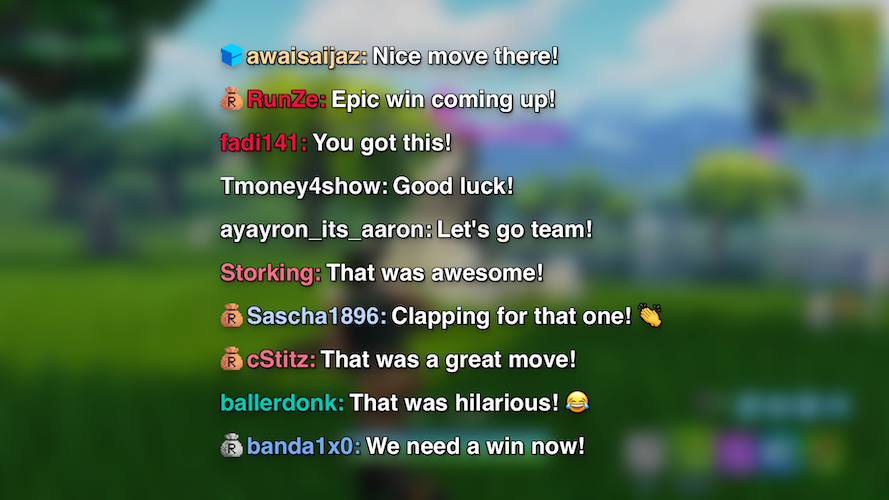
Chat Overlay for OBS
Display your chat on stream via a browser source in your streaming software. Dozens of overlays and widgets available in our library.
!clip Command
Instant clip creation fully in the cloud. You and your viewers can clip up to 4 minutes — zero performance hit.
Getting Started
Set Up in Under a Minute
No downloads, no complicated setup. Connect your Kick account and KickBot is instantly ready to use on your channel.
- 1
Connect Your Kick Account
Sign in with your Kick account to link your channel to KickBot.
- 2
Customize KickBot
Set up custom chat commands, timed messages, moderation rules, AI responses, the clip command, and much more from the dashboard.
- 3
Add Overlays & Widgets to OBS
Add any overlays or widgets you want to OBS as browser sources. Chat overlays, alerts, and more are available in our library.
- 4
Use It in Chat
Your bot is live. Viewers can use commands, moderation is scanning messages, TTS is ready to go, and everything runs automatically in the background.
!discord Join our Discord! discord.gg/Twv2g7wKNx
!socials Twitter: @streamer | Instagram: @streamer
!schedule Mon/Wed/Fri at 7PM EST
!tip Send a tip → kickbot.com/tips/streamer
!ttslist TTS commands: !trump !tiktok !peter !morgan !spongebob !kanye
Custom Commands
Every Command Your Chat Needs
Create commands from your KickBot dashboard and set the response to anything. Social media links, tipping URL, stream schedule, or your current rank. Viewers trigger them by typing the command in chat.
- 17 built-in variables for dynamic responses, including API calls, stream info, random numbers, and viewer data
- Granular permission controls per command. Restrict to mods, subs, VIPs, or open to everyone.
- Pre-built default commands for common needs like !followage and !lurk
- Built-in mod commands for bot and stream management
Auto Moderation
Keep Your Chat Clean, Automatically
KickBot's moderation filters run automatically in the background to keep your chat clean and safe. Block spam, excessive caps, prohibited links, regex patterns, specific words and phrases, and malicious bot raids.
- Instant action on rule violations, no delay
- Easy to toggle filters on and off from the dashboard
- Full audit logs of every moderated message
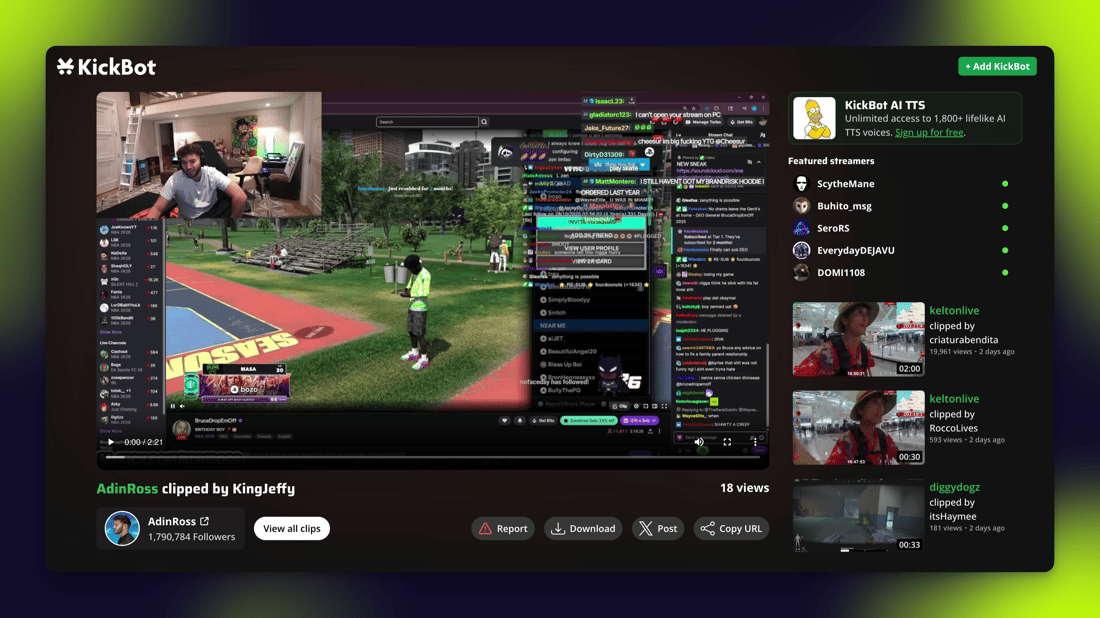
Clip Command
Let Your Chat Clip the Best Moments
Anyone in your chat can type !clip to instantly create a clip of your stream. It runs fully in the cloud so there's zero impact on your PC, and every clip gets a shareable link automatically.
- Up to 4 minutes per clip
- Zero performance impact, fully cloud-based
- Viewers and mods can clip, not just you
- Every clip is automatically saved and shareable via link
Start Using KickBot, It's Free
Commands, moderation, overlays, clipping, and AI. All included, no credit card to get started.
Get Started FreeSet up in under a minute.